When you upload a file for translation, the format you choose can make a big difference in the final output. PDFs and image-based files can be translated—but because they’re designed for viewing rather than editing, the translation engine must work harder to extract, interpret, and reconstruct your content. In contrast, editable files like Word, PowerPoint, or Excel allow GAI Translate™ to deliver cleaner, more accurate results with minimal formatting issues.
This guide walks you through why the difference matters, what GAI does behind the scenes, and how you can ensure the best results every time.
1. Why PDFs and images are more challenging to translate
There are two main types of PDFs:
Text‑based PDFs: These contain selectable, digital text. They’re easier for GAI Translate™ to process, but still place limitations on layout reconstruction.
Image‑based or scanned PDFs: These are essentially photos embedded into a PDF. The content is not editable – it’s just pixels – and must be processed using OCR (Optical Character Recognition).
GAI Translate™ will notify you when you upload a PDF or image because these formats may reduce the quality of extraction and final formatting. For better results, uploading an editable file is strongly recommended.
2. What GAI Translate™ does when you upload a PDF or image
When you upload a PDF or image file, GAI must convert it into an editable format before translation. Here’s what happens behind the scenes:
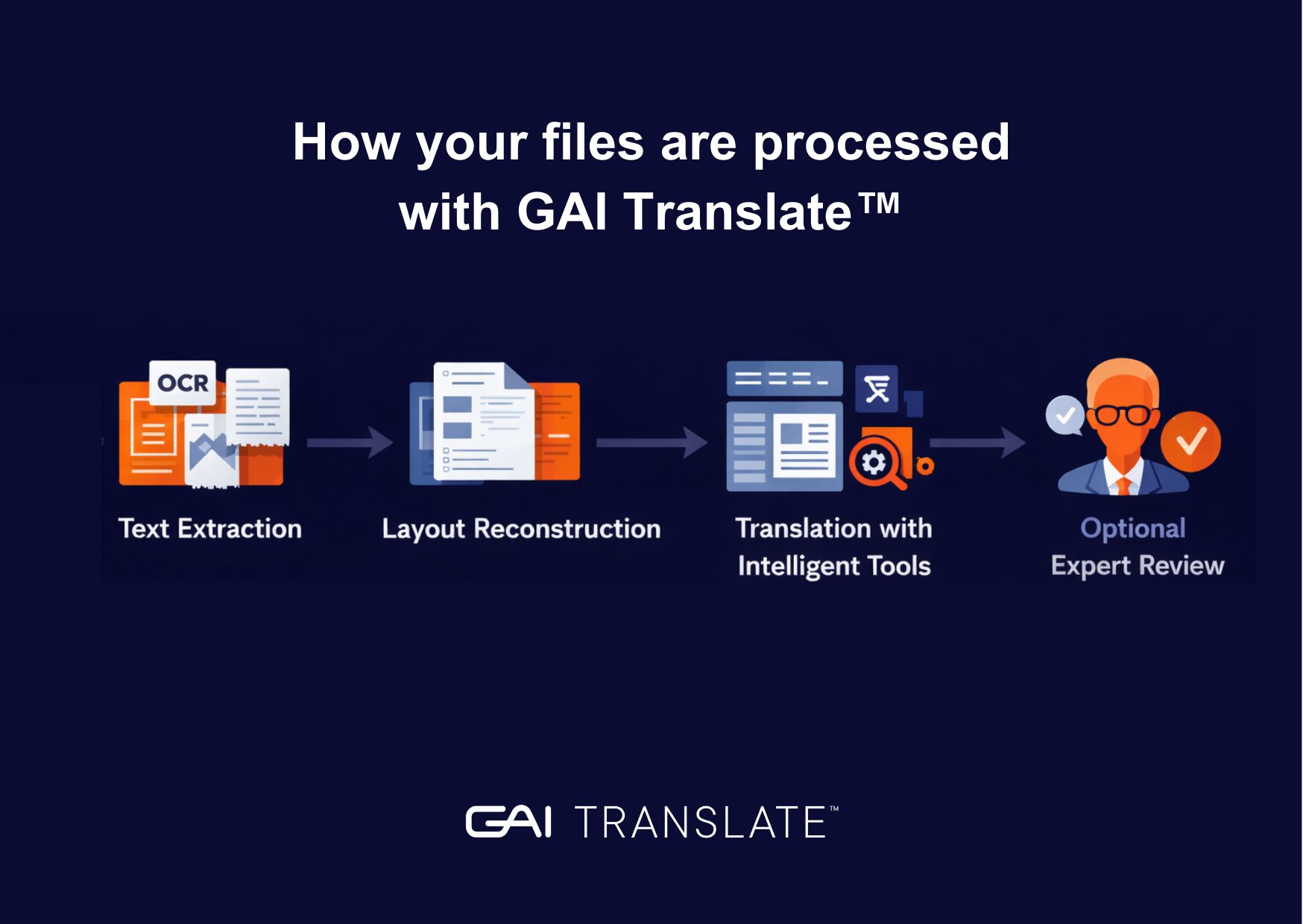
Step 1: Text extraction
GAI Translate™ detects whether your PDF contains real text or just images. If the content is image‑based, it applies OCR to extract the words. OCR quality depends heavily on the clarity of the original file: low resolution, shadows, skewed pages, or faint print can all cause missing or incorrect text.
Step 2: Layout reconstruction
After extracting the text, GAI Translate™ attempts to rebuild the structure of your document—headings, tables, bullets, columns, and more. However, since PDFs are not designed for editing, this step is prone to inaccuracies.
Step 3: Translation with intelligent tools
GAI Translate™ uses glossaries, translation memories, and domain‑specific datasets to ensure terminology and phrasing are accurate and consistent.
Step 4: Optional Expert Review
If you’re working with complex or sensitive material, one‑click linguist verification is available to ensure the final version reads naturally and accurately.
3. Limitations you might see when translating PDFs or images
When starting from a PDF or image file, you might notice:
- Missing characters from low‑resolution scans
- Misread text (e.g., “0” instead of “O”)
- Broken page or paragraph structure
- Distorted tables
- Text running out of alignment
- Items that were actually images (e.g., charts) not captured for translation
- Issues with special characters, diacritics, or non‑Latin scripts
These issues occur because the file wasn’t designed to be edited in the first place.
4. Limitations you might see when translating PDFs or images
Editable files, such as .docx, .pptx, or .xlsx, give GAI Translate™ direct access to:
- The actual text (no OCR required)
- The underlying structure (paragraphs, tables, styles)
- Metadata and formatting
- True text layers inside charts or diagrams
This means:
- Fewer errors
- Better formatting preservation
- Faster processing
- Higher translation accuracy
- Greater consistency for brand or technical terms
If a PDF was originally created from a Word or PowerPoint file, always upload the original editable version. That’s the version GAI Translate™ can work with most effectively.
5. How to get the best possible results
Here are simple steps users can take to avoid issues:
✔ Upload an editable version whenever possible
Word, PowerPoint, and Excel always provide the cleanest results.
✔ Check your PDF before uploading
Can you select the text with your cursor? If not, it’s image‑based.
✔ If scanning is unavoidable
Use good lighting, no shadows, and a flat page.
✔ Provide glossaries or previous translations
GAI Translate™ will apply them automatically for consistency.
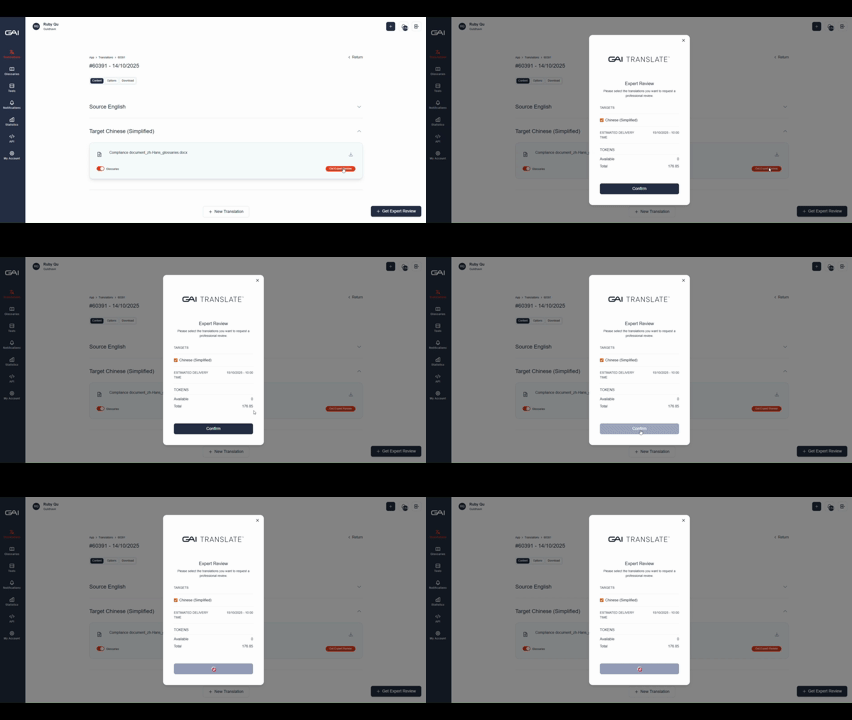
✔ Use Expert Review for important documents
Especially important for legal, technical, or regulated content.
6. Security and data protection: your content stays safe
GAI Translate™ is built with enterprise‑grade security in mind:
- TLS 1.2+ encryption in transit
- AES encryption at rest (128‑ or 256‑bit)
- Strict access controls and audits
- Compliance with ISO:27001 standards
Unlike free online translation tools, which may store, reuse, or even license your data, GAI Translate™ ensures your content remains private and protected.
7. Final tips and where to get help
If translation quality or formatting is especially important, always choose:
➡ Editable file first
➡ PDF only when you have no alternative
➡ Image/scanned files only as a last resort
If you’re ever unsure:
📩 [email protected] — we’re here to help.
SHARE THIS ARTICLE
RELATED RESOURCES

How GAI Translate pricing and tokens work
Choosing the right GAI Translate plan is easy once you understand the three core blocks of the service: subscription, translation tokens, and expert review tokens. These elements work together...
3 MIN READ

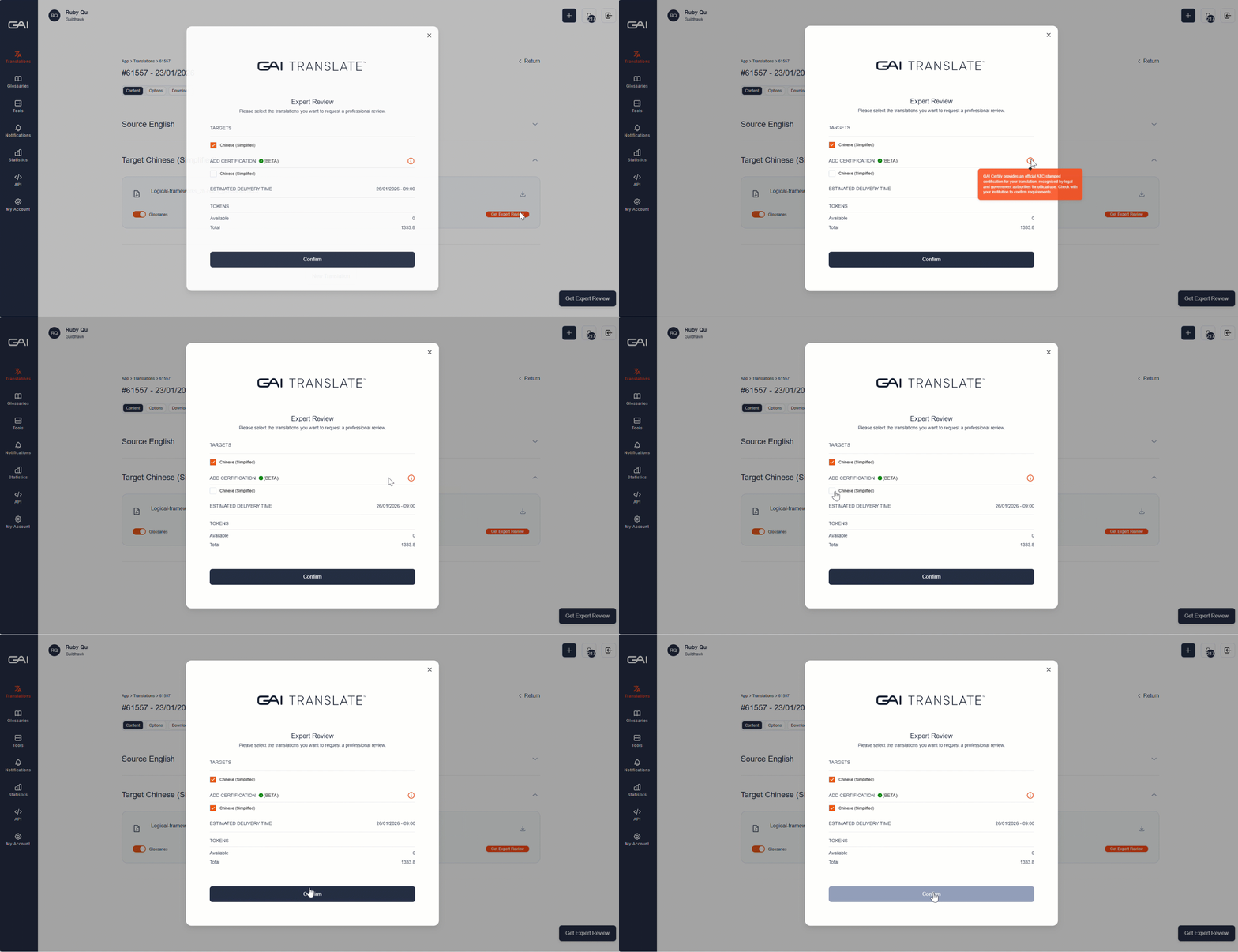
User guide: Certification
When you translate a document in GAI Translate™, you may notice a “Certification” button when requesting for Expert Review. This feature unlocks GAI Certify™ — the world’s first one‑click,...
2 MIN READ

5 top tips to get the best quality output with GAI Translate™
Translation platforms are powerful tools, but the quality of the output often depends on the quality of the input and how effectively you use the platform's features. Here are the...
3 MIN READ
How GAI Translate pricing and tokens work
Choosing the right GAI Translate plan is easy once you understand the three core blocks of the service: subscription, translation tokens, and expert review tokens. These elements work together...
3 MIN READ
User guide: Certification
When you translate a document in GAI Translate™, you may notice a “Certification” button when requesting for Expert Review. This feature unlocks GAI Certify™ — the world’s first one‑click,...
2 MIN READ